Press kit
One line
Pochette renames, organizes and tags a music library kept as files, and shows every change as a plan before it makes it.
Short description
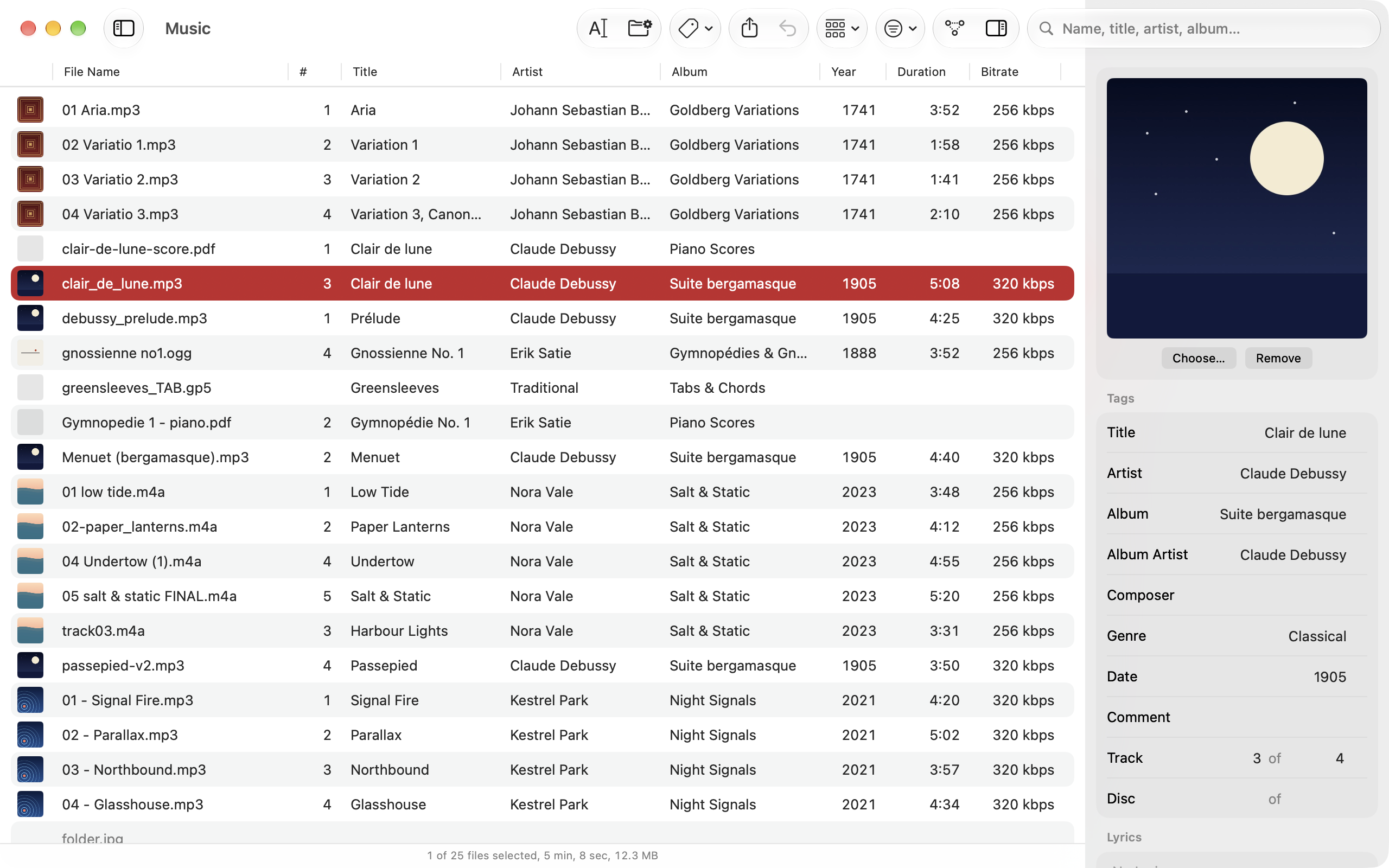
Pochette edits the tags, names and folders of a music library of MP3, AAC, Ogg, FLAC, AIFF and WAV files on Mac, iPad and iPhone. Tags, file names and folders are three copies of the same facts; Pochette treats the tags as the source of truth and derives names and folders from them with a pattern. There is no import and no database: the folder is the library.
Longer description
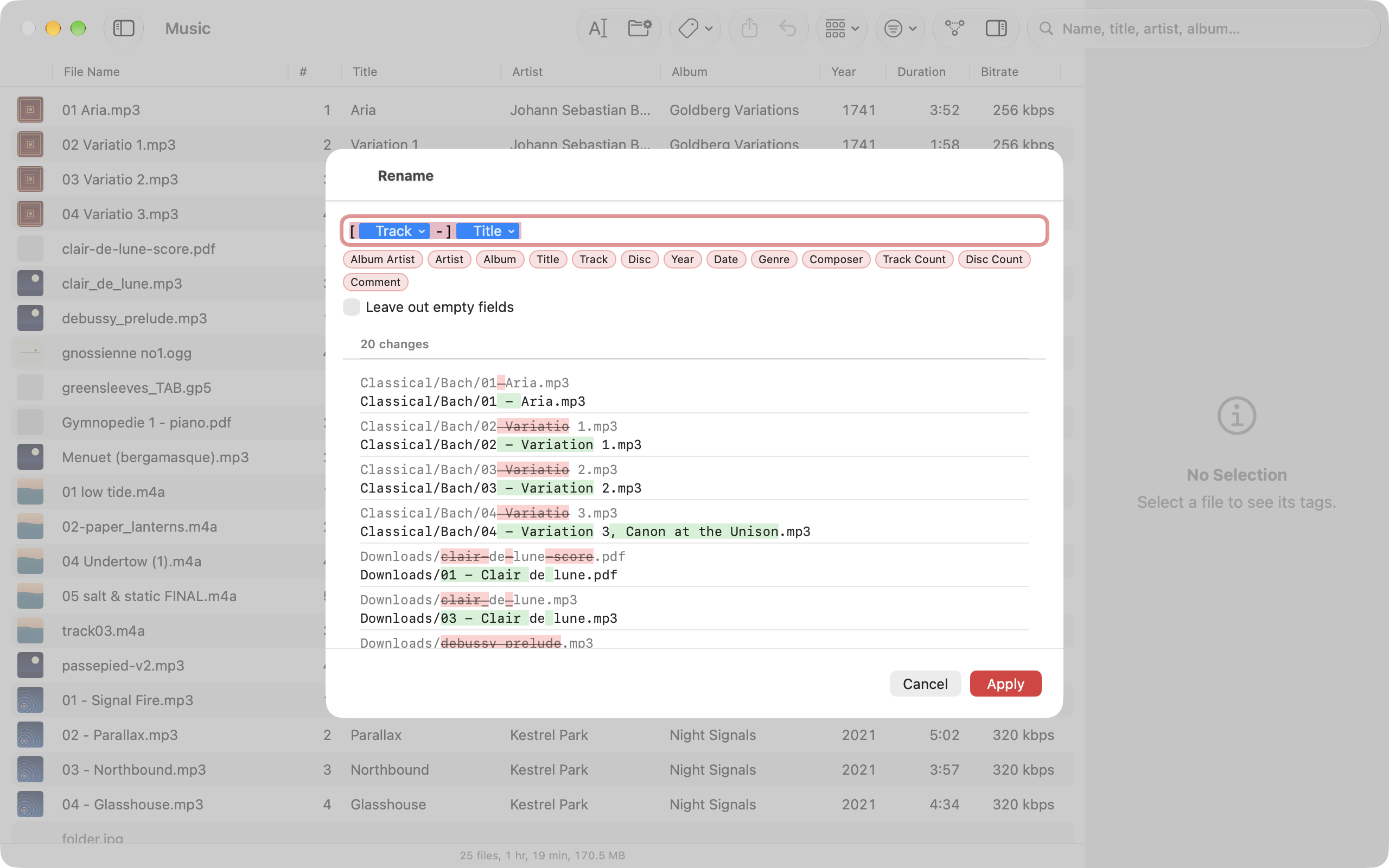
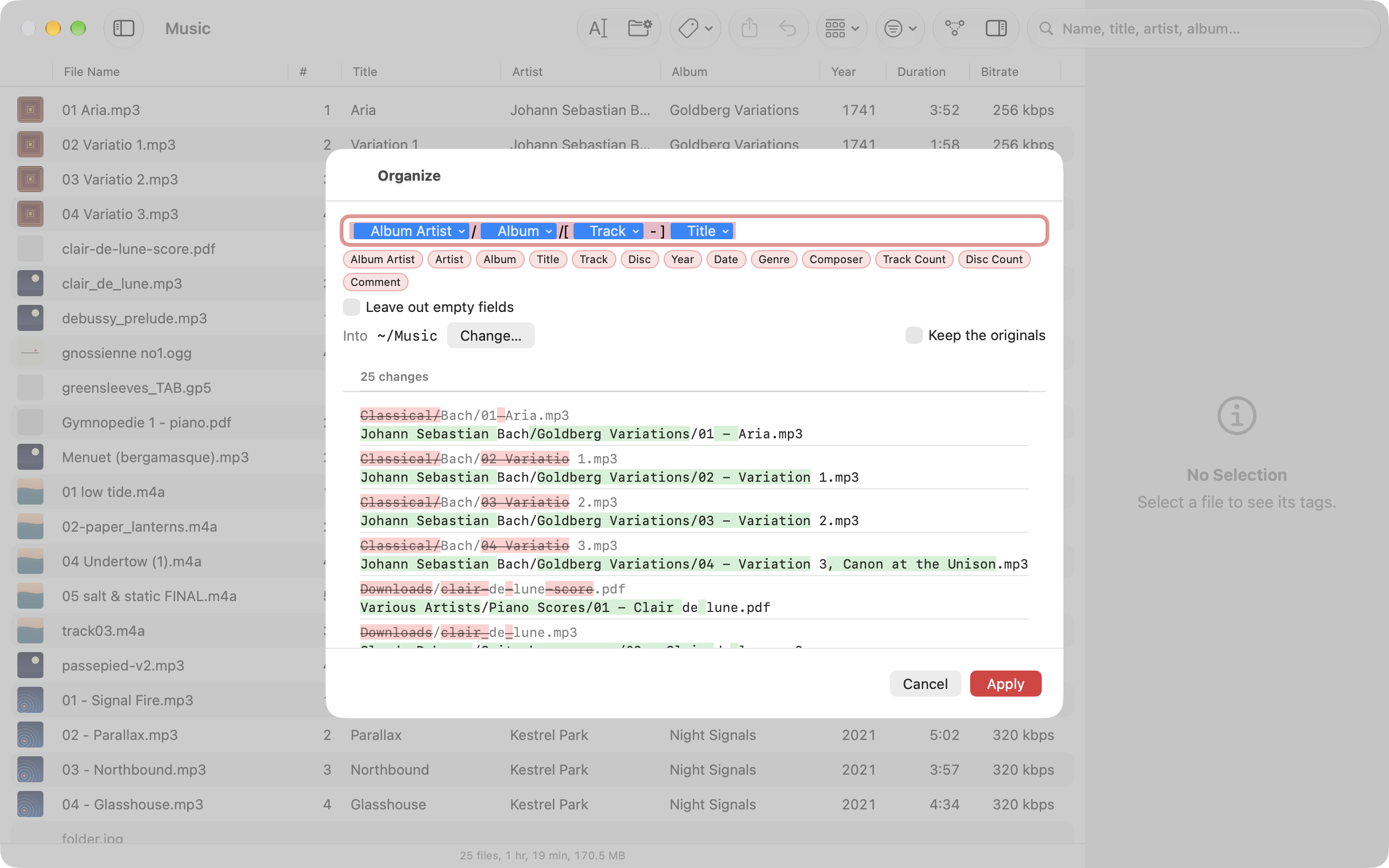
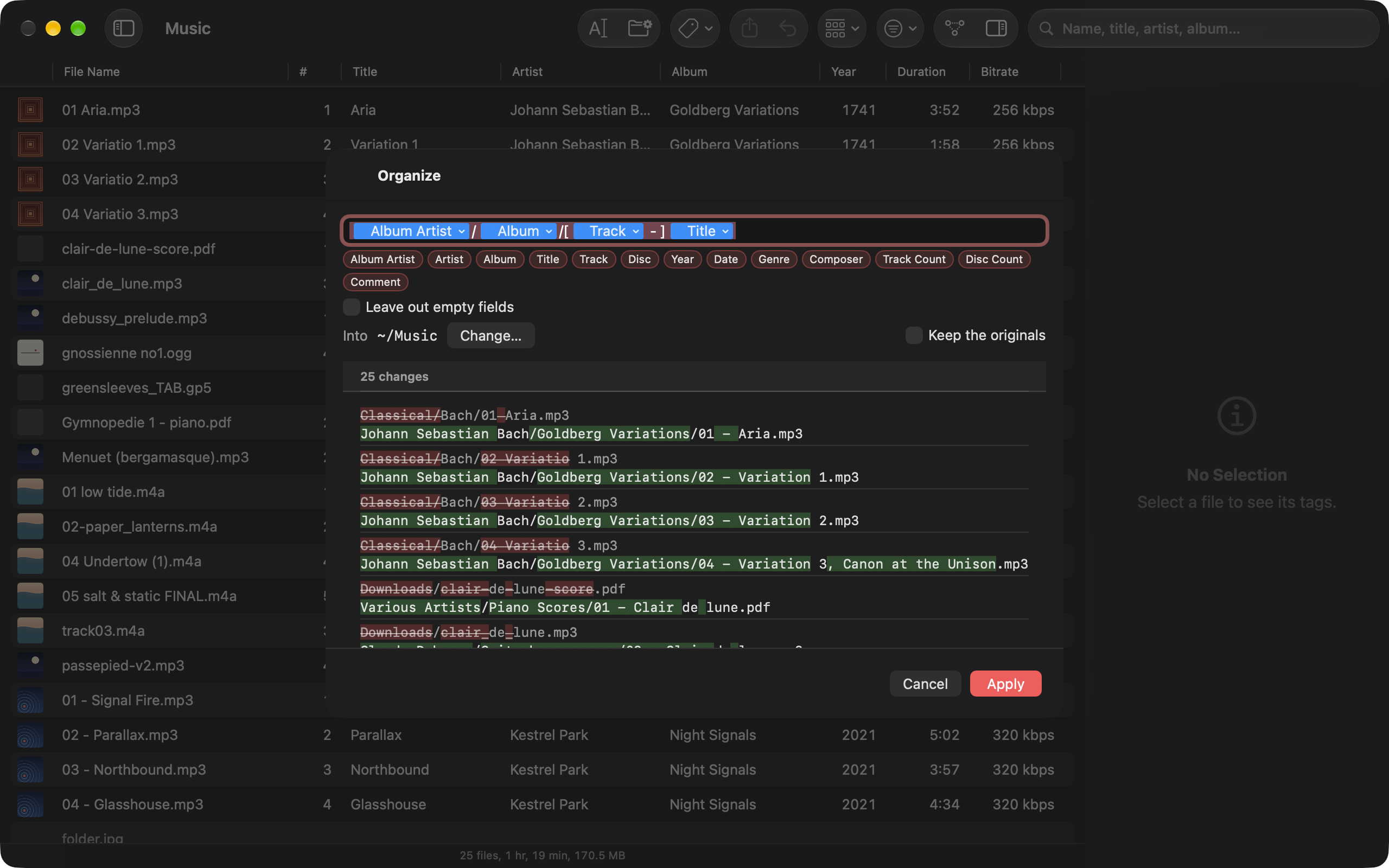
A rename across five thousand files should not be a leap of faith, so every change Pochette makes is a plan first: each old name beside its new one, each old tag beside its new value, and anything that would collide listed on top. A plan with a conflict cannot be applied at all, and every applied plan is journaled, so undo still works after the app is quit and reopened.
The same pattern that names files, like %artist%/%album%/[%track% - ]%title%, moves them into folders,
and run backwards it fills in the tags of a folder that arrived untagged. Covers, cue sheets and logs travel with
their album, and a folder is removed only when Pochette emptied it. Pochette reads and writes every tag format it
supports with its own code, keeps the frames it does not understand byte for byte, and makes no network connections
of its own.
Fact sheet
- Name: Pochette
- Developer: Magenta Creations
- Platforms: Mac (macOS 26 or later), iPhone and iPad (iOS and iPadOS 26 or later)
- Formats: MP3 (ID3v2), AAC and ALAC (M4A, M4B, MP4), Ogg Vorbis and Opus, FLAC, AIFF and WAV
- Status: Version 1.3.0, on the App Store
- Website: https://pochette.mgcrea.io
Assets
- App icon, 1024 × 1024 PNG
- App icon, SVG
- Social card, 1200 × 630 PNG
Screenshots
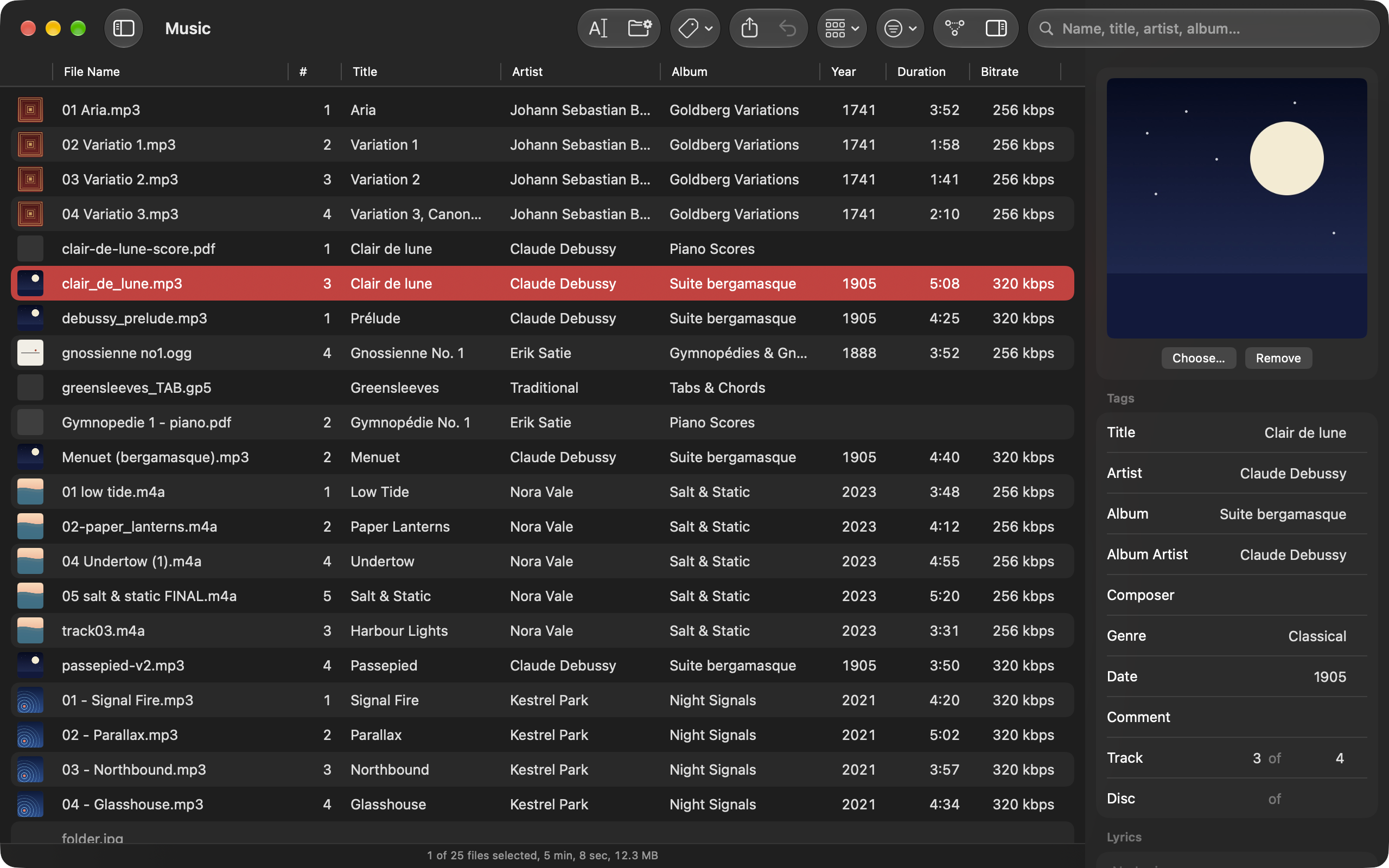
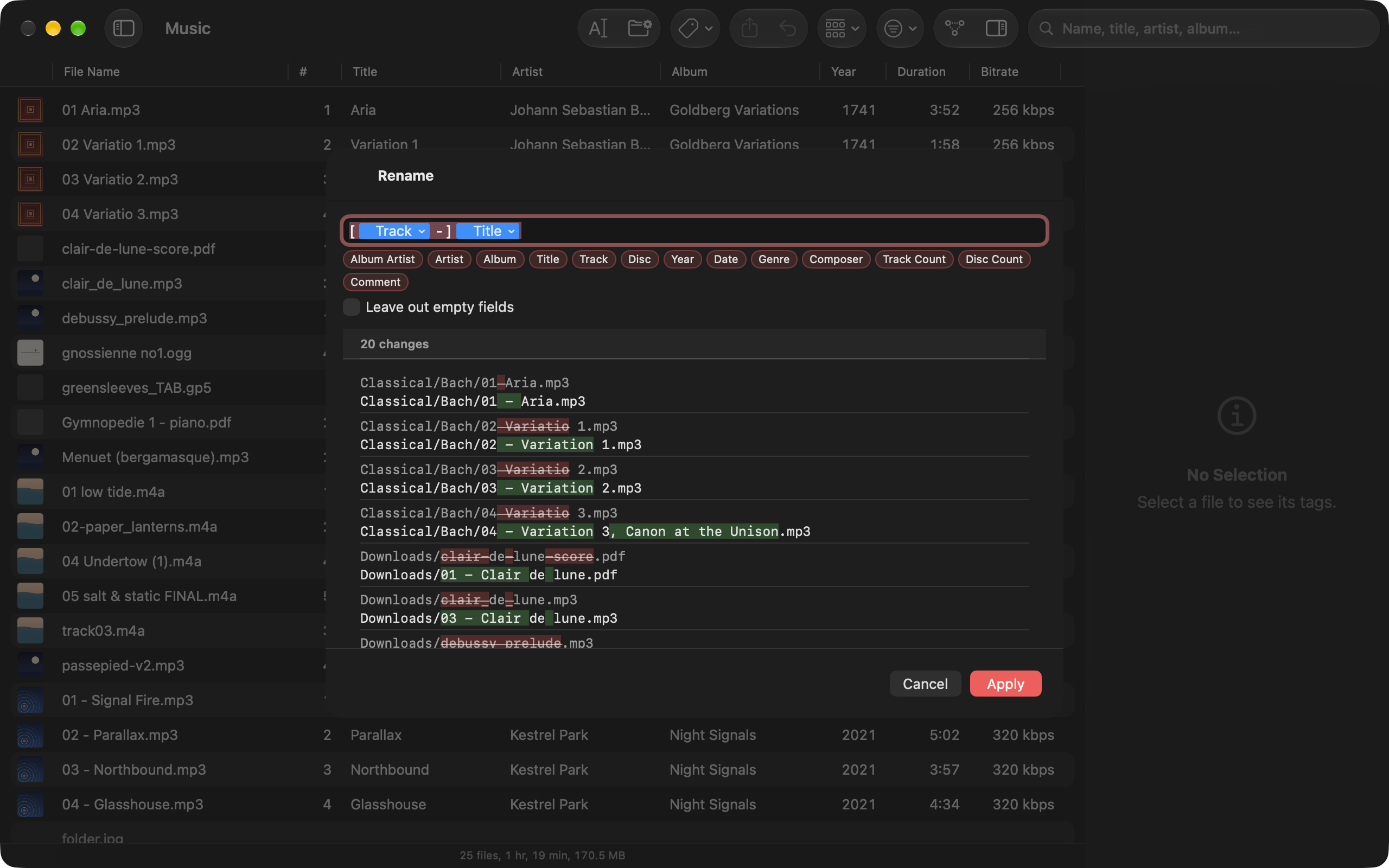
The Mac app on a demo library, 2560 × 1600 PNG, each in light and dark.